

Kids After Hours - Revamp Website and Parental Portal (B2C)
Redesign of their website and parent portal to address significant accessibility barriers, poor navigation structure, an inadequate mobile experience, and extensive content duplication.
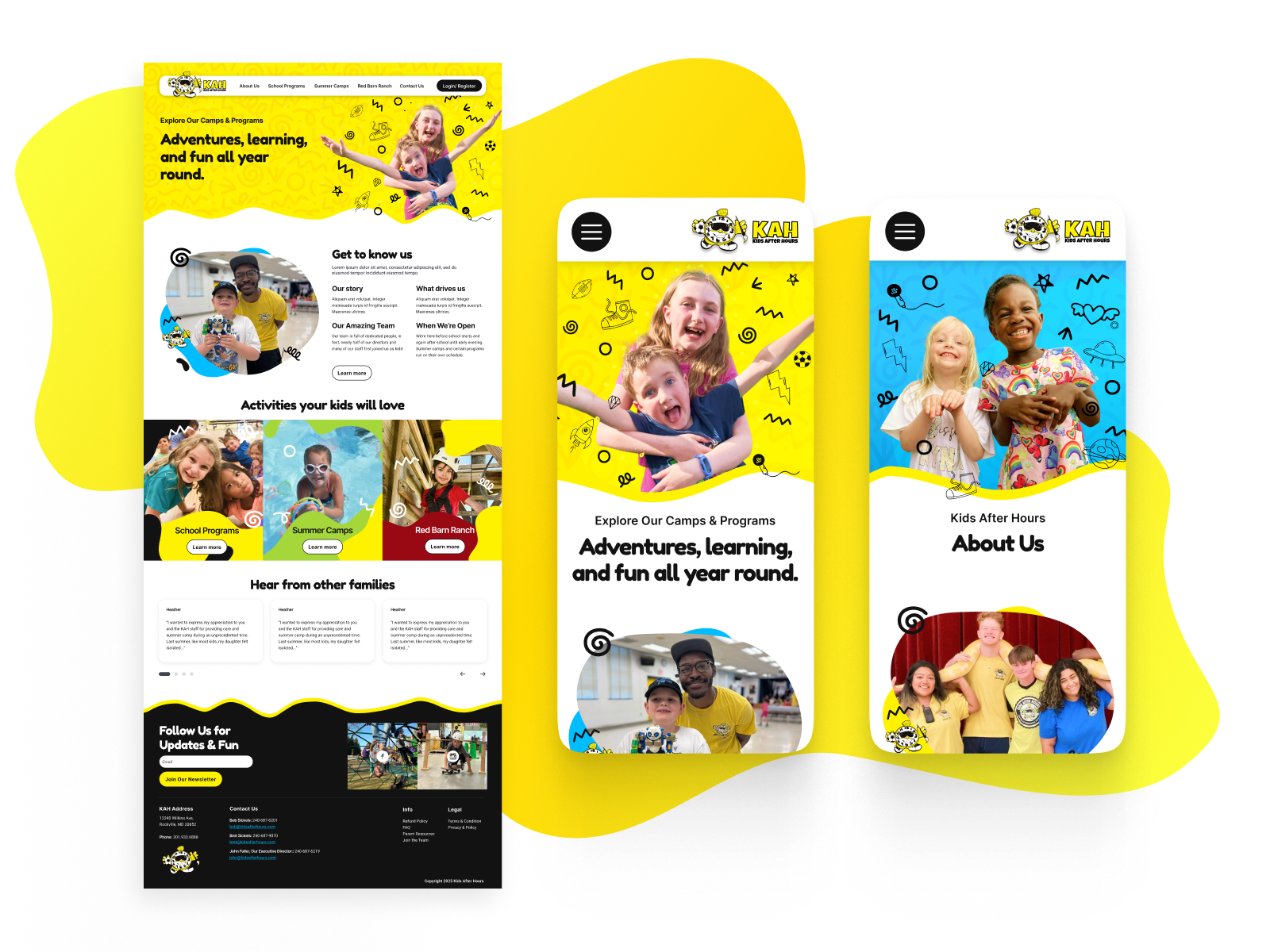
Overview - kidsafterhours.com
Kids After Hours is a Maryland-based childcare provider offering before- and after-school programs, summer camps, and full-day care. Since 1989, they’ve focused on creating safe, fun, and enriching environments for school-age children in partnership with local schools.
The main problem - Conversation rate, usability, complicate user journey
The website has major accessibility issues, poor mobile usability, and relies heavily on static images instead of dynamic, searchable content. There’s also a lot of duplicate information, which makes navigation confusing. Parents often struggle to find key enrolment details, leading to frustration and a drop in new registrations.
My role : Lead Product Designer
Redesign the enrolment flow as a dedicated, linear journey with clear steps.
Optimise landing pages for conversion using clearer messaging, benefits, and social proof.
Partnered closely with the business owner to define design goals, visual preferences, and user experience objectives.
Developed wireframes, high-fidelity mockups, and interactive prototypes.
Managed all design assets and upheld brand consistency across digital touch points by creating UI tokens a library of color palettes, iconography, and typography in Figma allowing us to reuse the same components across the website and other products, ensuring visual consistency throughout the project.
Design Audit
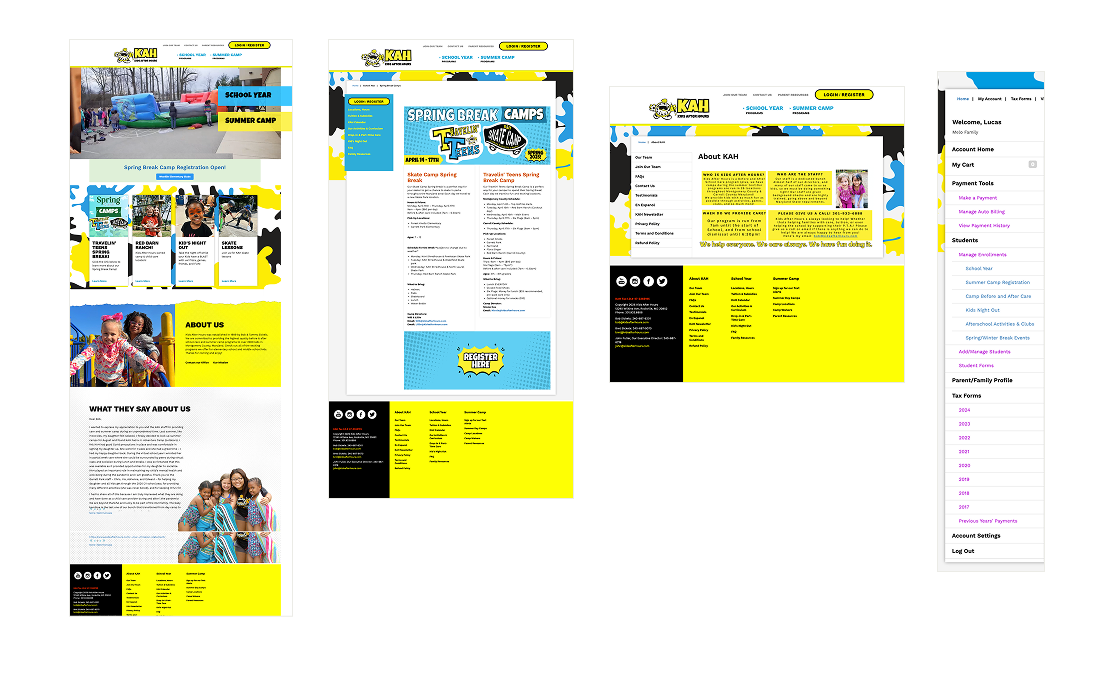
Visual Design Evaluation
Assessing the visual elements of the design, including typography, color schemes, imagery, iconography, and overall aesthetics.
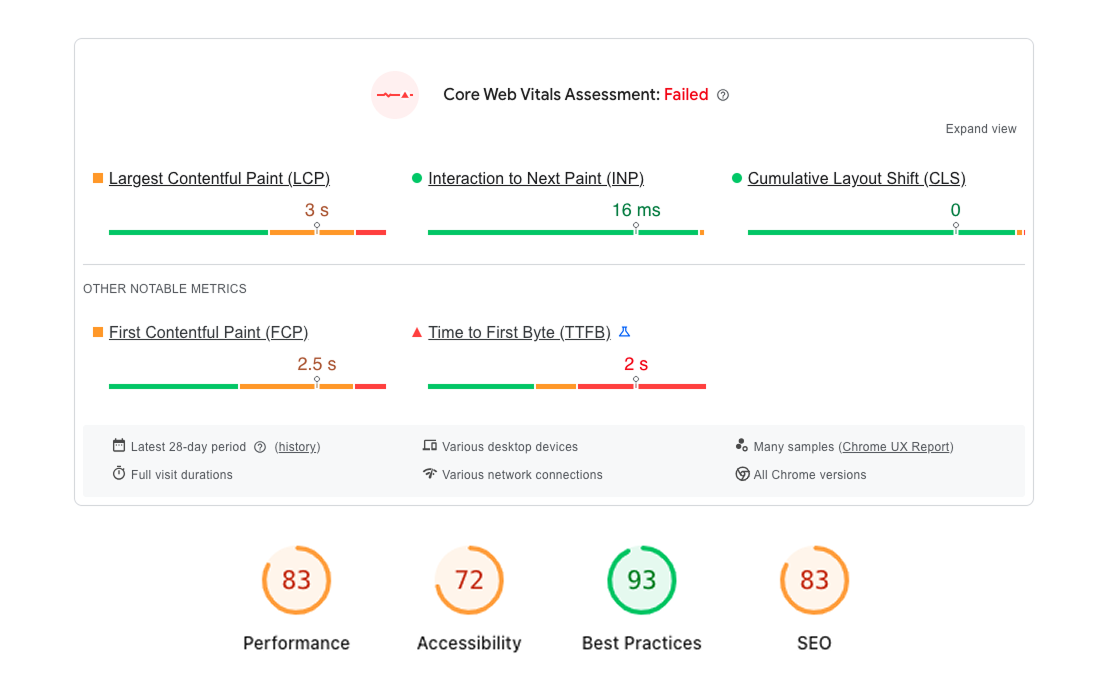
Performace
According to data from PageSpeed Insights, the website performs well in terms of best practices. However, there is significant room for improvement in accessibility, performance, and SEO. Notably, the mobile performance score is quite low at 67, indicating a need for optimisation in mobile speed and responsiveness.
User Research & Insights
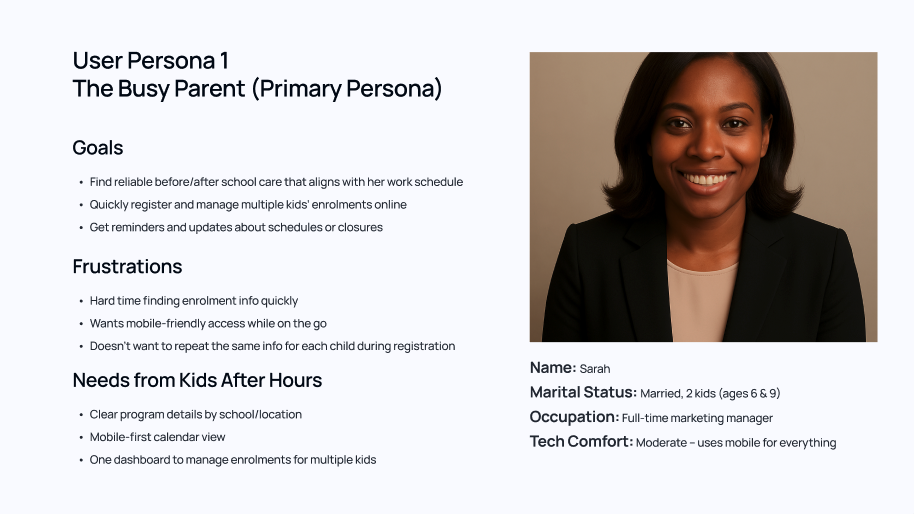
“Between work, school drop-offs, and soccer practice, I don’t have time to dig through a confusing website. I just want to quickly register both my kids, know they’re safe, and get updates if anything changes.”
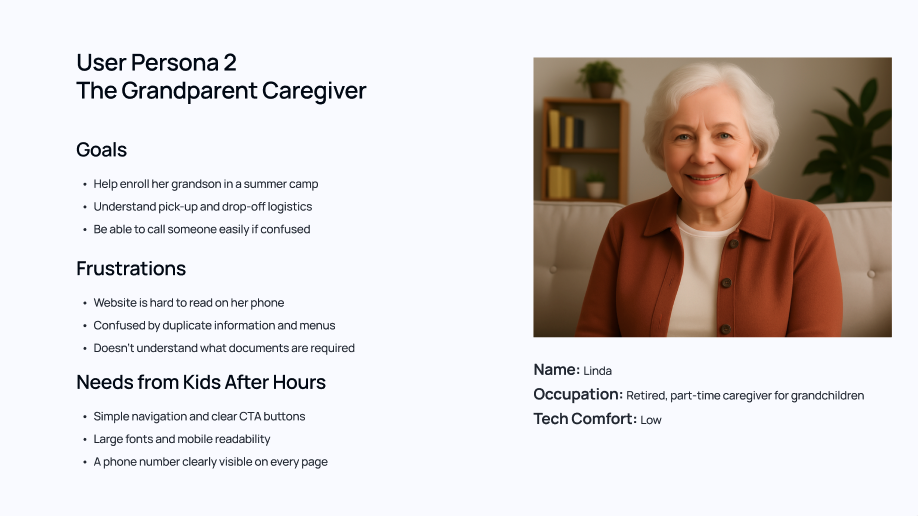
“I’m not great with websites, especially on my phone. I just want clear instructions, big buttons I can read, and someone I can call if I get stuck.”
Improvement and simplify of User Flow
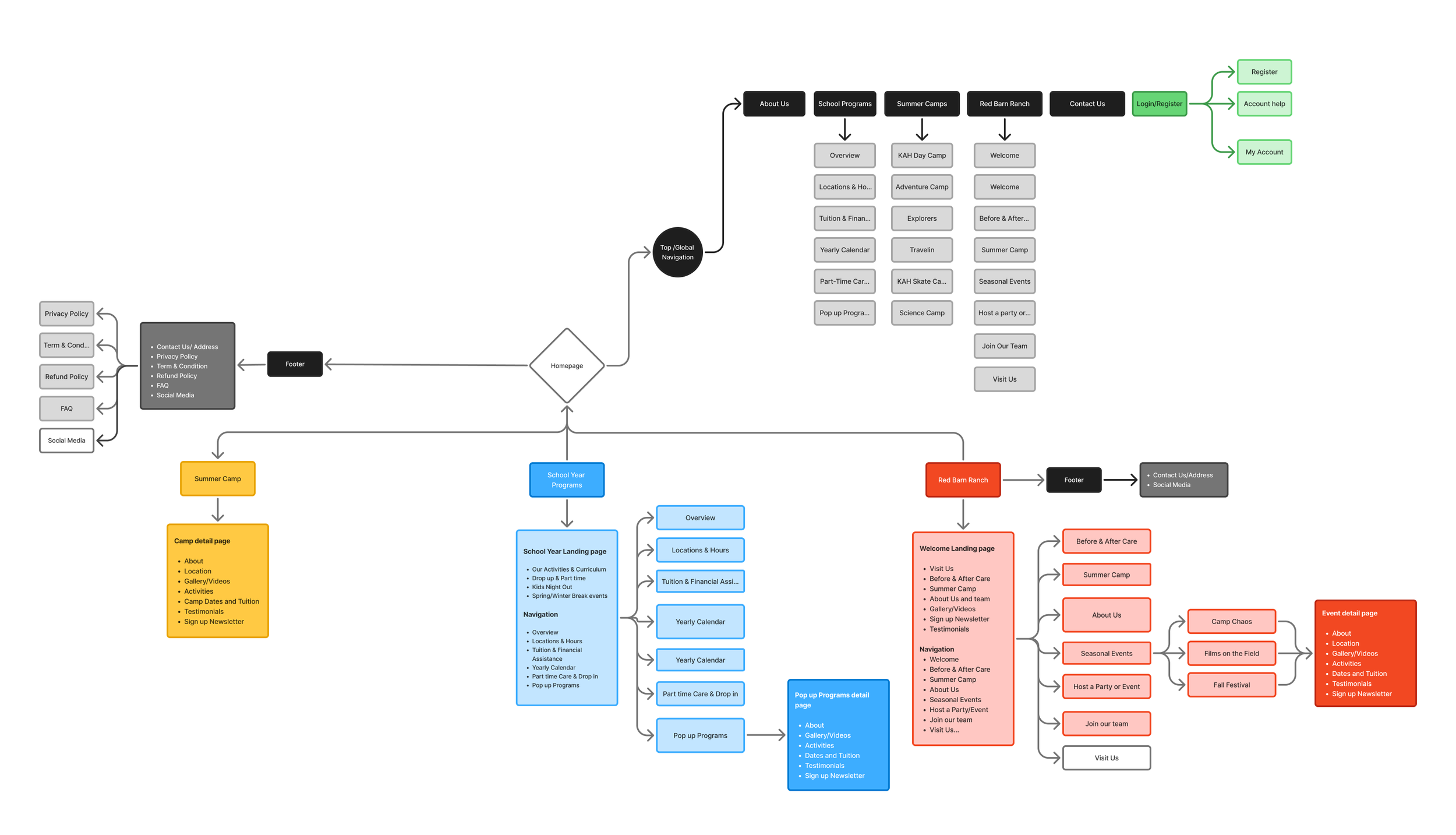
Website and Parent Portal flow
Design Improvements - Responsive Website
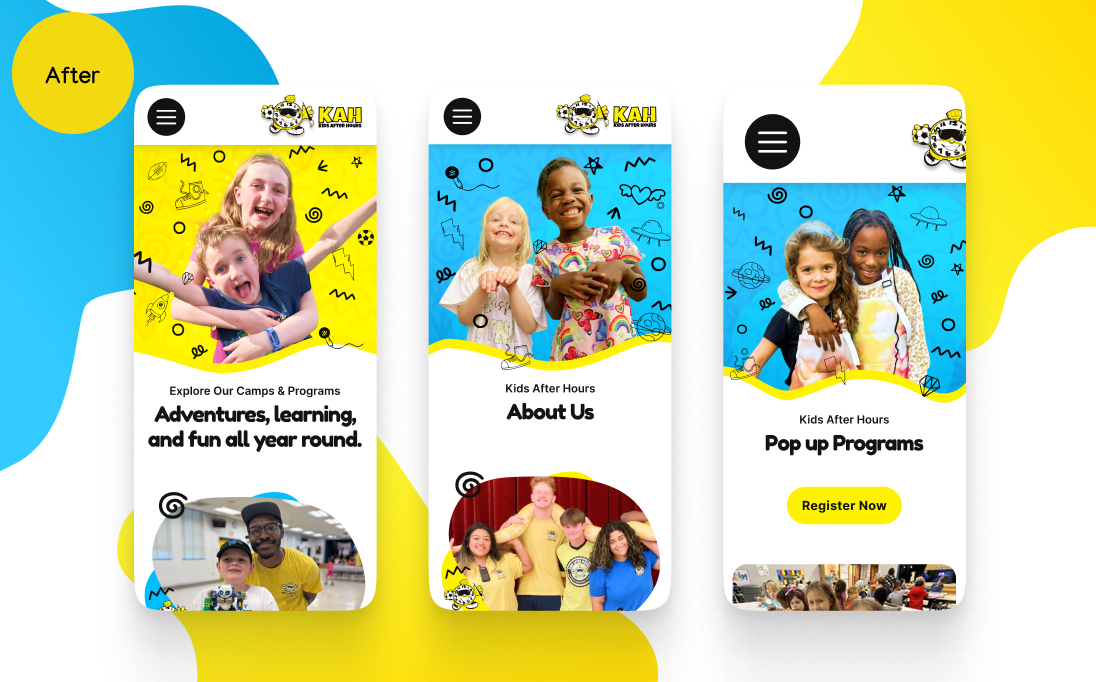
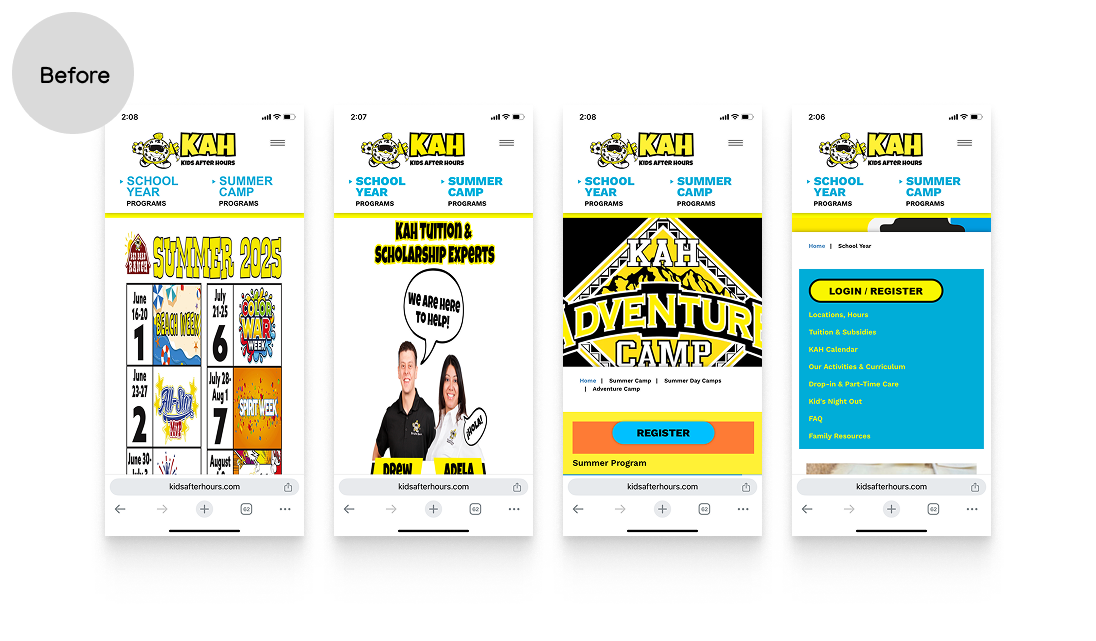
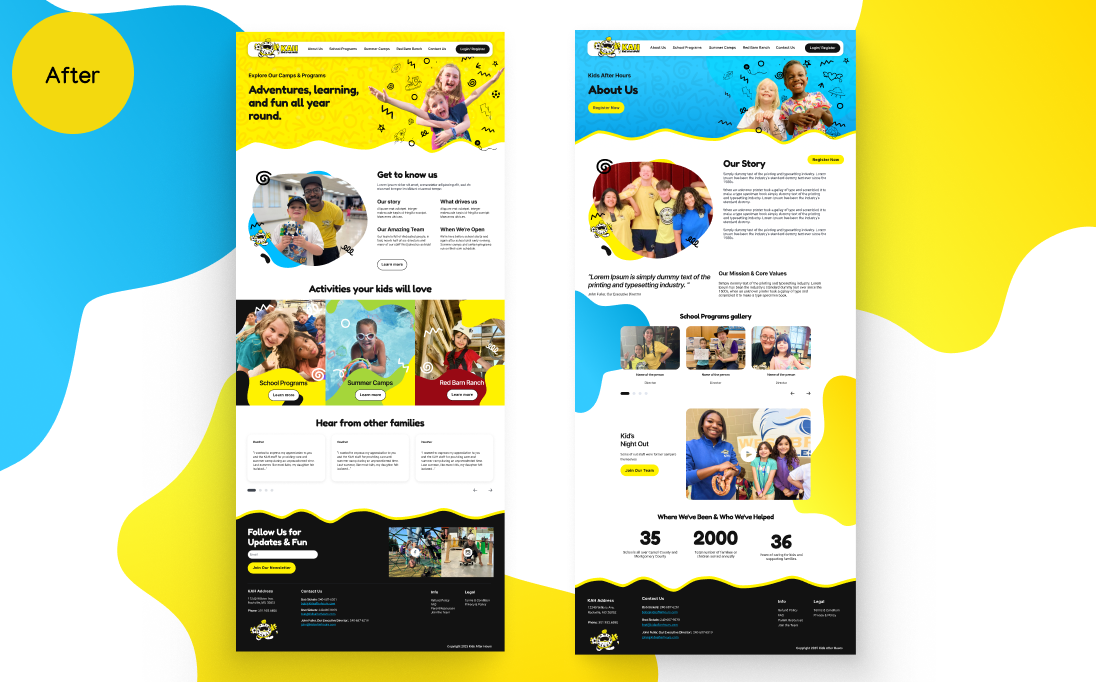
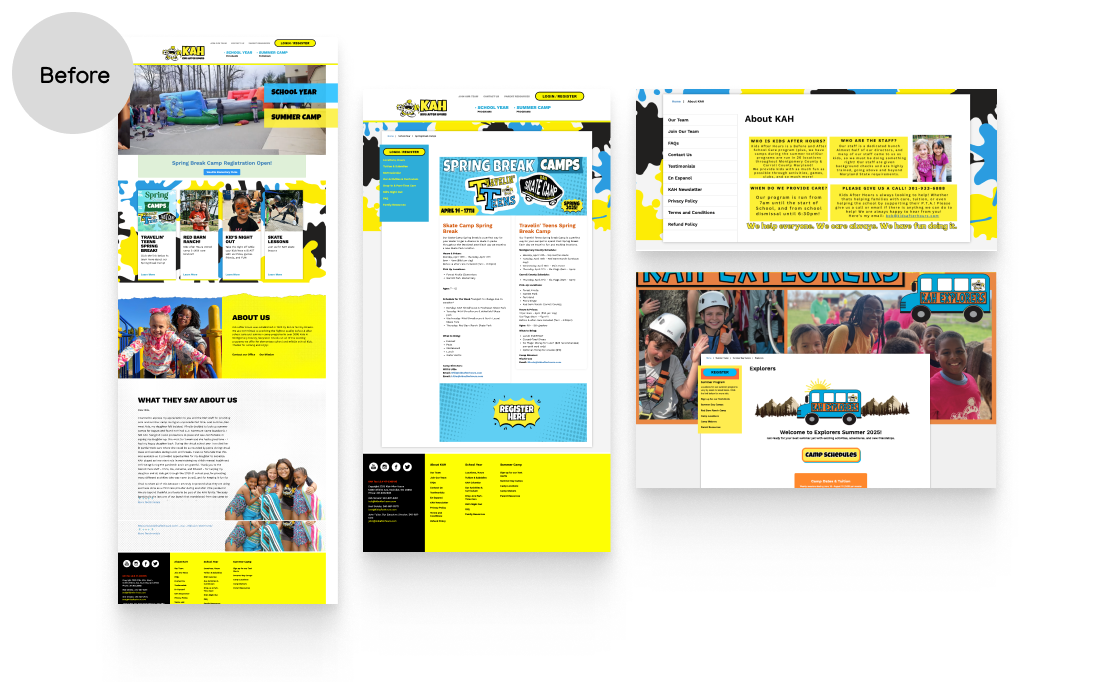
Actions to improve usability
and increase in conversion rate
Update UX/UI Design
Friendly visual tone: Bright colours and kid-focused imagery create an approachable, family-friendly vibe.
Clear primary navigation: Main menu is straightforward with key categories like Programs, Summer Camps, and Registration.
Use of real photos: Builds trust with parents by showing actual kids, staff, and environments.
Introduce consistent iconography and color palettes tied to UI tokens.
Implement a responsive design system that preserves brand consistency and usability across mobile platforms.
Audit and consolidate pages to reduce duplication (many similar program/location pages)
Improved Accessibility
Ensured color contrast meets WCAG standards.
Applied consistent typography and hierarchy to improve scalability.
Headers and banners use live text for accessibility and SEO
Design Improvements - Parent Portal
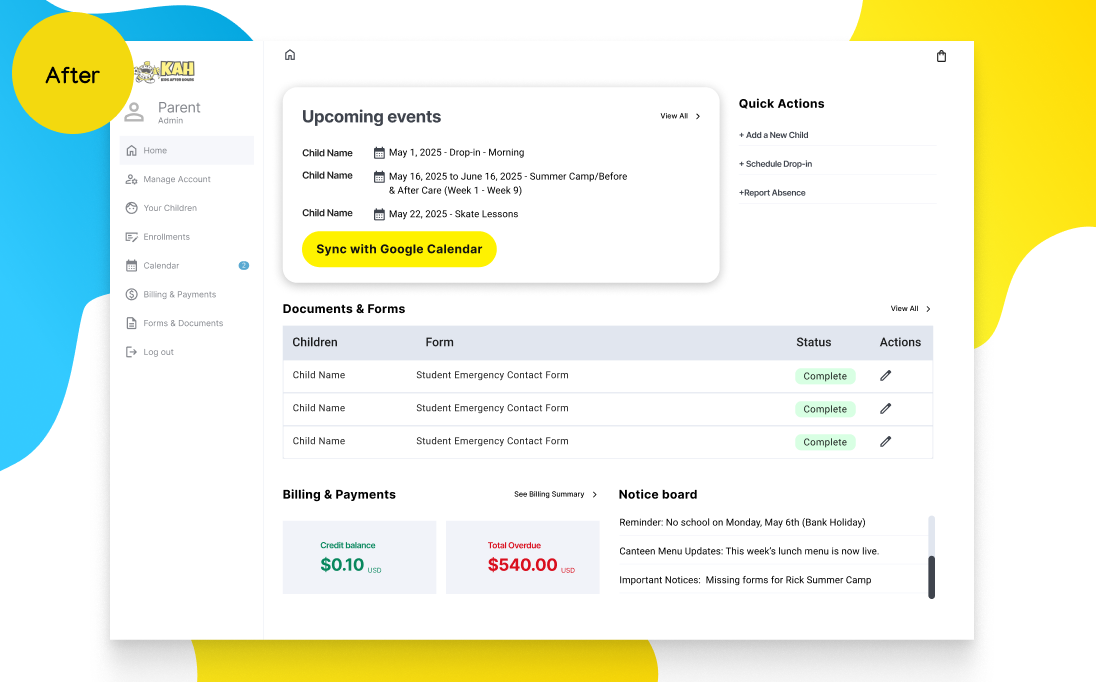
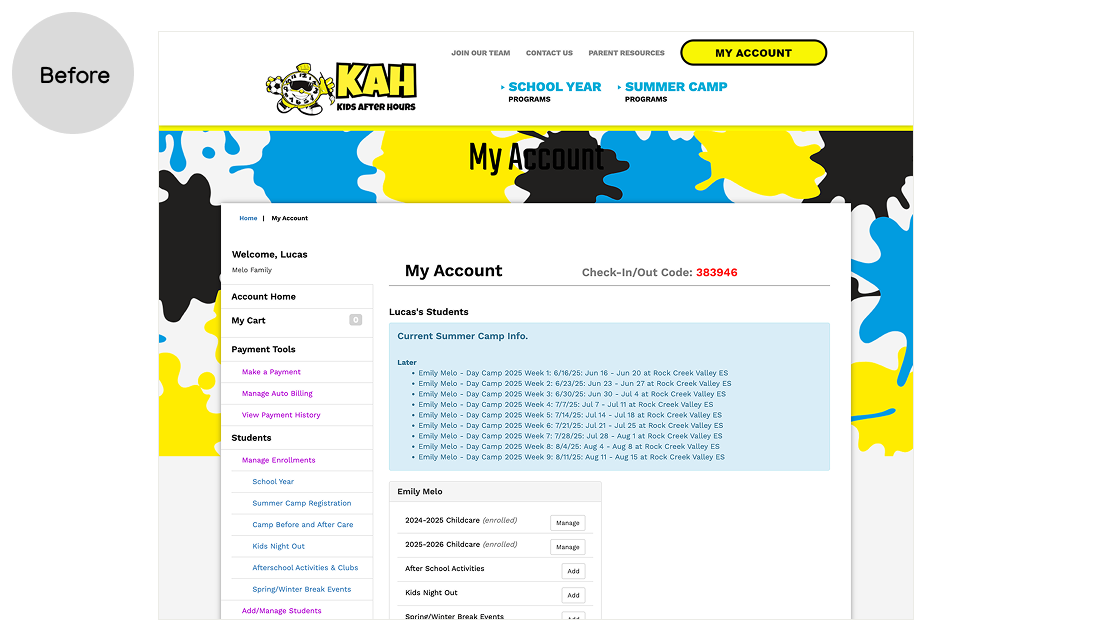
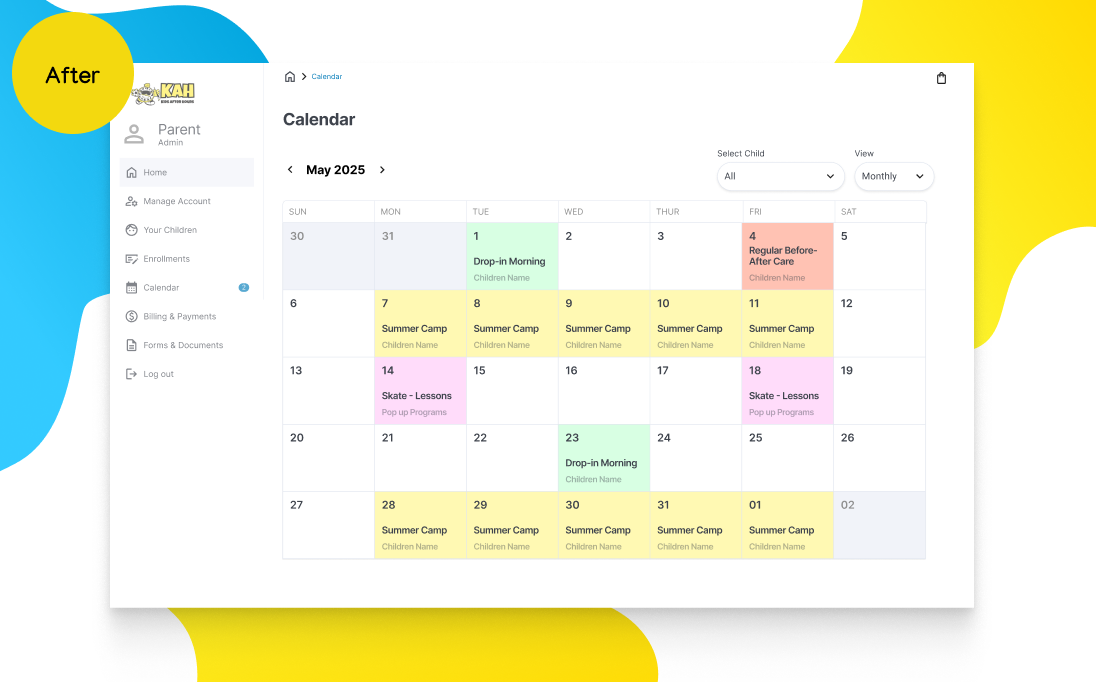
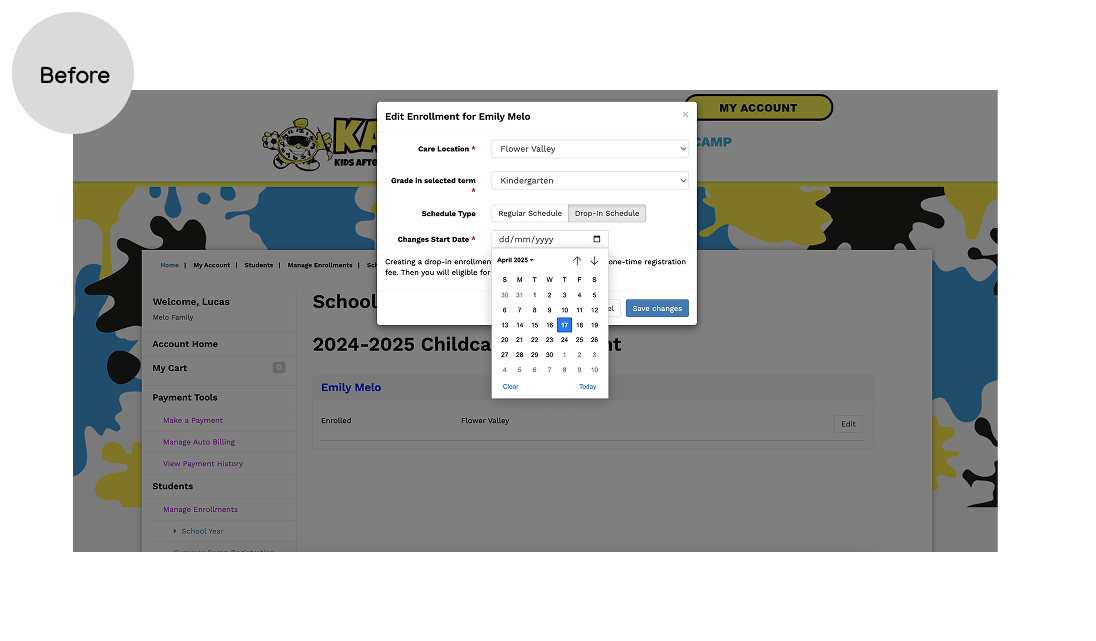
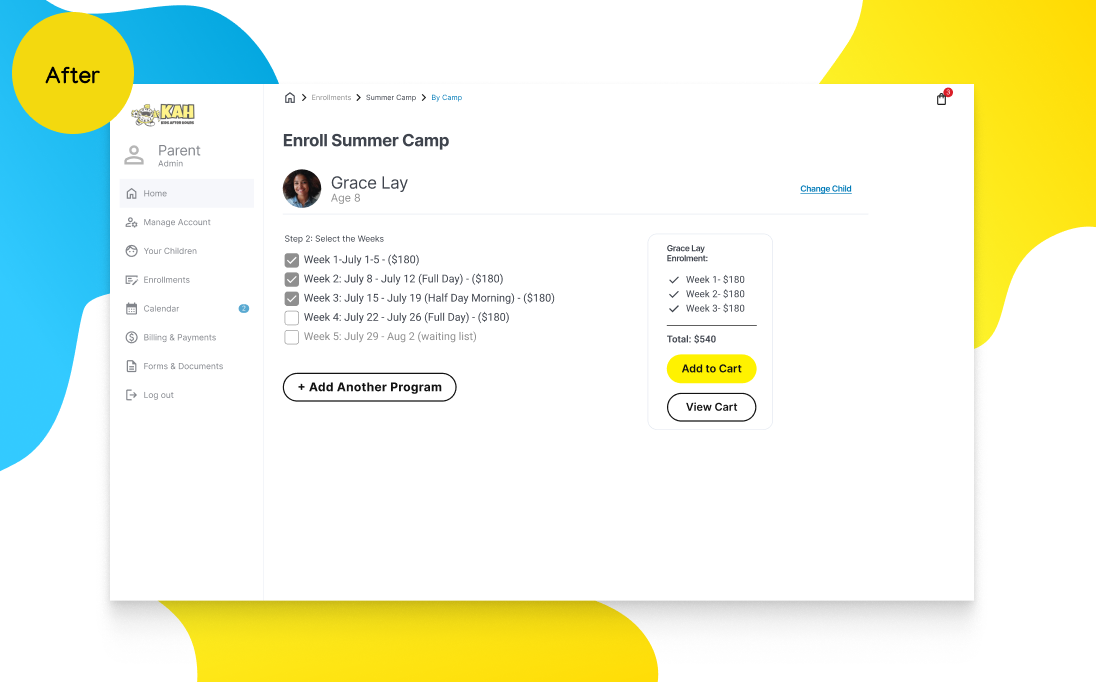
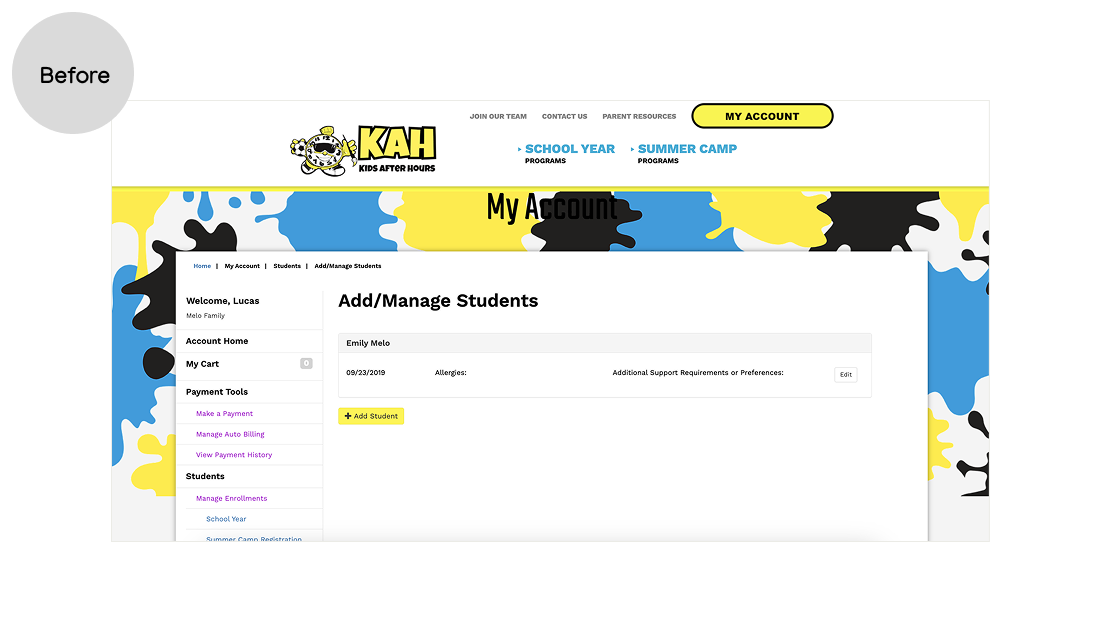
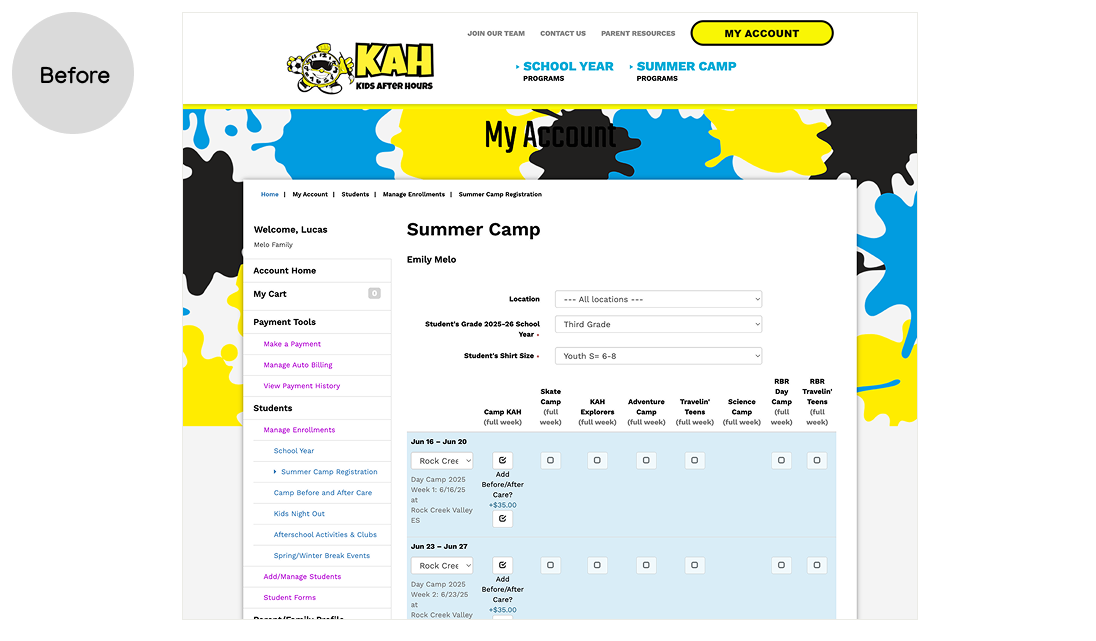
Actions taken to improve the Enrollment Journey
Create a dashboard with quick actions, upcoming events, Billing Summary, Notice board
Redesign the entire enrolment flow to a more linear journey with clear steps.
Added a calendar feature to help parents easily manage multiple enrolments across different children in a more intuitive way.
Create a child selector for families with multiple kids